

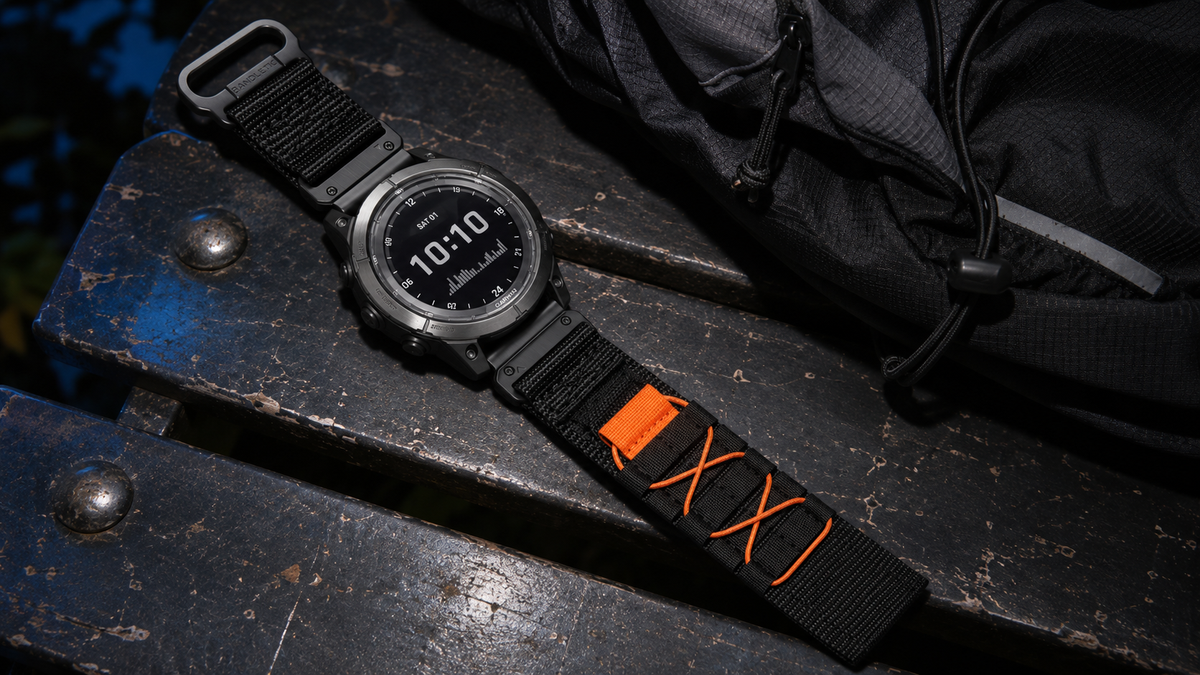
The Garmin Forerunner 965 and Forerunner 970 both take 22 mm QuickFit bands. You can move a compatible QuickFit 22 strap from one watch to the other. When switching from the original silicone band, use a pin tool to remove it, reinstall the watch pins between the lugs, then clip the QuickFit strap onto those pins.
When shopping, choose QuickFit 22 for the watch, then choose a wrist size for you. Two straps can fit the same watch and have very different lengths, stiffness and buckle placement.
Forerunner 965 and 970 band size
| Measurement | Forerunner 965 | Forerunner 970 |
|---|---|---|
| Band width at the watch | 22 mm | 22 mm |
| Clip-on replacement | QuickFit 22 | QuickFit 22 |
| Case width | 47.2 mm | 47.0 mm |
| Listed wrist fit | 135–205 mm | 135–205 mm |
Garmin lists the case and wrist dimensions in its U.S. specifications for the 965 and 970. Replacement straps have their own wrist ranges.
Where to measure
Band width. Place a ruler across the gap between the two lugs, the tabs that hold the watch pin. Measure from one inner edge to the other right where the pin sits. That gap is 22 mm on both the Forerunner 965 and 970, so choose a QuickFit 22 band.
Wrist circumference. Wrap a soft measuring tape around your wrist where you normally wear the watch. Keep it flat and snug against your skin without pulling it tight. Choose a strap whose listed wrist range includes your measurement.
Measure your wrist and choose a strap length
Wrap a soft tape around your wrist where the watch sits. Keep it flat and snug without pulling it tight. A strip of paper works too: mark where it overlaps, then measure the strip against a ruler. Read in millimeters to match the product page. If your tape shows inches, multiply by 25.4. Garmin’s listed 135–205 mm range is about 5.3–8.1 in.
On a product page, select Quick Fit 22mm first, then check the wrist range for the color and size you want. M and L are labels for that strap. Compare the numbers even if you already wear the same letter size in another brand.
- 150 mm. The Pack and Neo examples below start at 165 mm. Look for a shorter QuickFit 22 strap.
- 175 mm. Both M options cover this measurement at 165–180 mm. Choose by closure and buckle placement.
- 180 mm. Both M and L include 180 mm. If you can try both, check which leaves room to adjust and where the closure sits.
- 205 mm. Neo black L (180–215 mm) covers this measurement. Pack black and orange L (180–200 mm) ends 5 mm short.
Original Forerunner band vs. QuickFit vs. quick release
The easiest way to identify the connector is to look at the underside of the strap where it meets the watch. Product listings often use “quick release” for several designs. A photo of the connector tells you more than the name alone.
- Original Forerunner silicone band. The watch pin passes through the end of the band. Garmin’s removal instructions use a pin tool to compress the pin and free the band from the case.
- QuickFit 22. A latch on the end of the strap clips over a pin already seated between the lugs. Once the pins are in the watch, you can swap compatible QuickFit straps by opening and closing their latches.
- Standard quick release. The band has its own spring bar with a small sliding tab. The bar goes into the lug holes along with the band. If a third-party listing just says “22 mm quick release,” ask the seller to confirm fit for your exact Forerunner before buying. Width alone leaves the pin ends and clearance unverified.
When shopping, look for the clip in the product photo and check your exact watch model in the compatibility list. For other Garmin models, see the QuickFit vs. Quick Release guide.
How to install a QuickFit 22 band on the 965 or 970
The first change from the original band
Set the watch face down on a soft cloth and work on one side at a time. Keep the original band and both pins. You’ll need the original band and compatible pins if you decide to switch back later.
- Release the original band. With a pin tool, press the exposed end of the watch pin inward and ease the band away from the case.
- Seat the bare pin in the watch. Slide the pin out of the original band. Fit its ends back into the holes between the lugs. With both ends seated, the bar should stay in place across the opening.
- Attach the QuickFit strap. Press the clip onto the seated pin and check that the latch closes around it. Repeat on the other side. Gently tug each strap end before putting the watch on.
The original pins can be reused if they are intact. If a pin is missing, bent or won’t seat in both holes, get the correct replacement for your watch from Garmin before wearing the strap. The model manuals show where to position the tool and how the latch should sit. 965 band-change instructions · 970 band-change instructions.
Later swaps between QuickFit bands
With the pins already in place, open the latch on the underside of the old QuickFit strap, lift it off the pin and clip the next QuickFit strap on. Leave the pins seated between the lugs. Check both latches again before wearing the watch.
Why a compatible band can still feel stiff
A strap can clip on securely and still press into your wrist. How it feels depends on how easily the strap bends near the case, where the buckle sits, and how finely you can adjust the fit.
- If it digs in next to the case, compare how far the rigid ends extend past the lugs. A strap that bends closer to the case may sit better on a narrow wrist.
- If you’re between two buckle holes, try a hook-and-loop style that lets you make smaller adjustments. If you prefer the feel of the stock silicone band and its fit works for you, a model-specific Forerunner replacement is also an option.
- If the buckle presses against your desk, check the position and profile of the clasp at your wrist size. Try bending your wrist and resting it on a flat surface with the watch on.
With the strap fitted, bend your wrist and rotate your forearm. If a hard edge presses in as you move, note where it happens. Pressure near the lugs points you toward a strap with more flexible ends. Pressure under the wrist points you toward a different buckle shape or position. If the watch slides unless you tighten it uncomfortably, check the adjustment range or try a closure with finer adjustment.
Three 22 mm QuickFit replacements to compare
These Bandletic versions list both the Forerunner 965 and 970 under their 22 mm compatibility. The product links open a Quick Fit 22mm example. Check the wrist size again when changing color or size.

Pack Outdoor Band
Woven nylon with a hook-and-loop closure. The black and orange 22 mm version comes in M (165–180 mm) and L (180–200 mm).

FIDLOCK Neo Magnetic Band
Woven nylon with a FIDLOCK V-Buckle and hook-and-loop length adjustment. The black 22 mm version comes in M (165–180 mm) and L (180–215 mm).

Cube Magnetic Sport Band
Silicone with a pin-and-tuck closure and magnetic hold. Check the wrist range listed for the color and 22 mm size you choose.
For more styles, browse the Forerunner 965 bands or Forerunner 970 bands and select 22 mm on the product page.
Common questions
Can I use my Forerunner 965 QuickFit band on a 970?
Yes. A compatible QuickFit 22 band can move between the two watches. If the 970 still has its original band installed, remove it and reinstall the pins before attaching the QuickFit strap.
Will my Fenix QuickFit band fit?
Check the width on that specific strap. For example, Garmin lists QuickFit 22 for the 47 mm fēnix 8 AMOLED. A standard QuickFit 22 strap from that watch can be reused on a 965 or 970. For an aftermarket strap with molded ends or an integrated case, confirm that the manufacturer also lists your Forerunner.
Will QuickFit 20 or QuickFit 26 fit either watch?
For a direct QuickFit replacement, choose 22 mm. The 20 mm version is narrower than the gap between the lugs and the 26 mm version is wider. When a listing offers all three, check the selected width in your cart.
What if the latch closes but the strap still moves?
Take the watch off and inspect both ends of the pin and the latch. The pin should be seated in both lug holes, with the latch fully closed around the bar. If the pin shifts out of its hole or the latch won’t stay shut, check the hardware and compatibility before wearing it.
Still choosing between the watches? See our Forerunner 970 vs. 965 watch comparison for the differences beyond the strap.
Share:
Apple Watch Bands for Small Wrists: Fit, Sizing and What to Check