

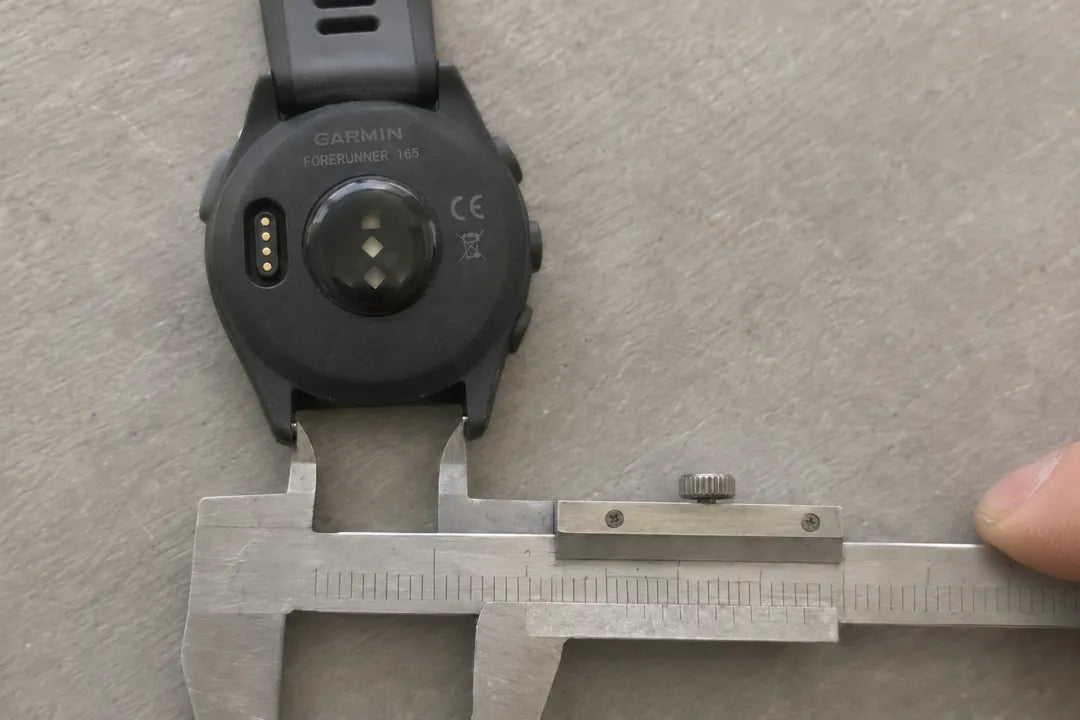
To measure watch band size, measure the gap between your watch’s lugs in millimeters, then measure around your wrist where you wear the watch. The first number tells you which band width to buy. The second tells you which wrist-size range to choose. If your watch uses a model-specific connector, look up the compatible band for your exact model and case size before measuring your wrist.
On a product page, you might see 20 mm Quick Release and 150–200 mm wrist size on the same listing. The first describes the connection to the watch. The second describes the wrists that band is designed to fit.
Step 1. Check how the band attaches to your watch
Find the full model name on the case back, in the watch settings, or in the manufacturer’s manual. Include any size or model suffix. A Garmin Forerunner 265 and a 265S use different band widths, even though they belong to the same series. Garmin Forerunner 265 series manual
If your watch has two lugs with a standard spring bar between them, you can measure the opening directly. For a watch with a dedicated connector, start with the manufacturer’s compatibility list. Apple Watch bands use a slide-in connector matched to compatible case sizes. Samsung’s Galaxy Watch8 and Watch8 Classic use a dedicated attachment system, so look for a band that explicitly lists your model.
Step 2. Measure watch band width at the lugs
The lugs are the two arms on each end of the watch case that hold the strap. Lug width is the inside gap between those arms, measured across the spot where the spring bar sits.
- Remove the existing band using the method in your watch manual.
- Place a metric ruler across the opening where the band attaches. Align the zero mark with the inside edge of one lug.
- Read the distance to the inside edge of the opposite lug. If the gap measures 20 mm and your watch uses standard quick-release spring bars, look for a 20 mm quick-release band.
A digital caliper helps if the ruler reading falls between marks. You can also check the underside of the original band for a size stamp or measure the strap where it meets the watch. A tapered strap can be 20 mm at the watch and 18 mm at the buckle. Use the watch-end measurement to choose the replacement strap. If you plan to reuse the buckle, check its width separately.
20 mm vs. 22 mm watch bands on Garmin Forerunner watches
The Forerunner 165 and 265 both use standard quick-release spring bars. The widths are different, so each needs its own band size. The 265S adds a third width.
| Watch model | Band width | Connector |
|---|---|---|
| Garmin Forerunner 165 / 165 Music | 20 mm | Standard quick release |
| Garmin Forerunner 265 | 22 mm | Standard quick release |
| Garmin Forerunner 265S | 18 mm | Standard quick release |
Check both the width and the connector name when you shop. A listing that says 22 mm QuickFit describes a band that clips onto a compatible watch pin. For a Forerunner 265, look for 22 mm Quick Release.
Step 3. Measure your wrist for band length
Use a soft measuring tape on the wrist where you’ll wear the watch. Wrap the tape around the spot where the watch normally sits, usually just above the wrist bone toward your elbow. Keep your hand relaxed. The tape should lie flat against your skin without pressing into it. Read the number where the tape meets zero. Samsung wrist measurement instructions
A strip of paper and a ruler work, too. Wrap the paper around the same spot, mark where the end overlaps, then lay it flat and measure from the end to the mark. If your ruler shows inches, multiply by 25.4 to convert to millimeters. A 6.5-inch wrist measures about 165 mm.
Compare the full measurement with the product’s wrist-size range. If the listing gives dimensions such as 120/80 mm, those describe the two pieces of a traditional strap. In that example, the longer piece is 120 mm and the shorter piece is 80 mm, measured without the buckle. If your current two-piece strap fits well, measure both pieces and note which hole you use. That gives you a reference when a seller lists strap lengths instead of a wrist range.
Step 4. Check the size of the exact version you’re buying
The wrist range can change when you switch the connector width on the same product page. Take the Bandletic Cube Magnetic Sport Band in BlackOrange. Its 20 mm Quick Release version lists a wrist range of 150–200 mm, and its 22 mm Quick Release version lists 155–205 mm. 20 mm Cube band · 22 mm Cube band
If your wrist measures 152 mm and you wear a Forerunner 165, the 20 mm version matches the watch and covers your wrist measurement. If you wear a Forerunner 265 with that same wrist measurement, you need a 22 mm quick-release band with a lower minimum wrist size. The 22 mm Cube starts at 155 mm.
If you’re near the end of a size range, check how the band adjusts. For a buckle band, look for a size that lets you fasten it with room to move a hole in either direction. For a one-piece stretch loop, use the sizing tool for that specific band. If you use a printable guide, print it at 100% and check the scale marker before wrapping it around your wrist.
Frequently asked questions
Can I measure my old watch band while it’s still attached?
Yes, if you can reach the edges where the strap meets the case. Measure the width there and check for a size stamped on the underside. If the case covers the edges or the band has a shaped connector, look up the watch model in the manufacturer’s manual. Barton sizing guide
Can I use a 22 mm quick-release band on a 20 mm watch?
Choose a 20 mm quick-release band for a watch with standard 20 mm lugs. The strap and spring bar need to match the opening so the bar can seat in the lug holes. Barton quick-release fitting FAQ
How tight should my watch band feel?
Start with a fit that keeps the watch from sliding around when you turn your wrist. Flex your hand and check that the strap and buckle feel comfortable. If the watch shifts, tighten it one step. If the band digs in, loosen it and check again. Apple guidance on wearing your watch
Before you order, write down your exact watch model, connector type, band width or compatible case size, and wrist circumference. If you’re shopping for Garmin, start with the Connection Type filter, then open the band you like and check its listed wrist range. Shop Bandletic Garmin watch bands

Share:
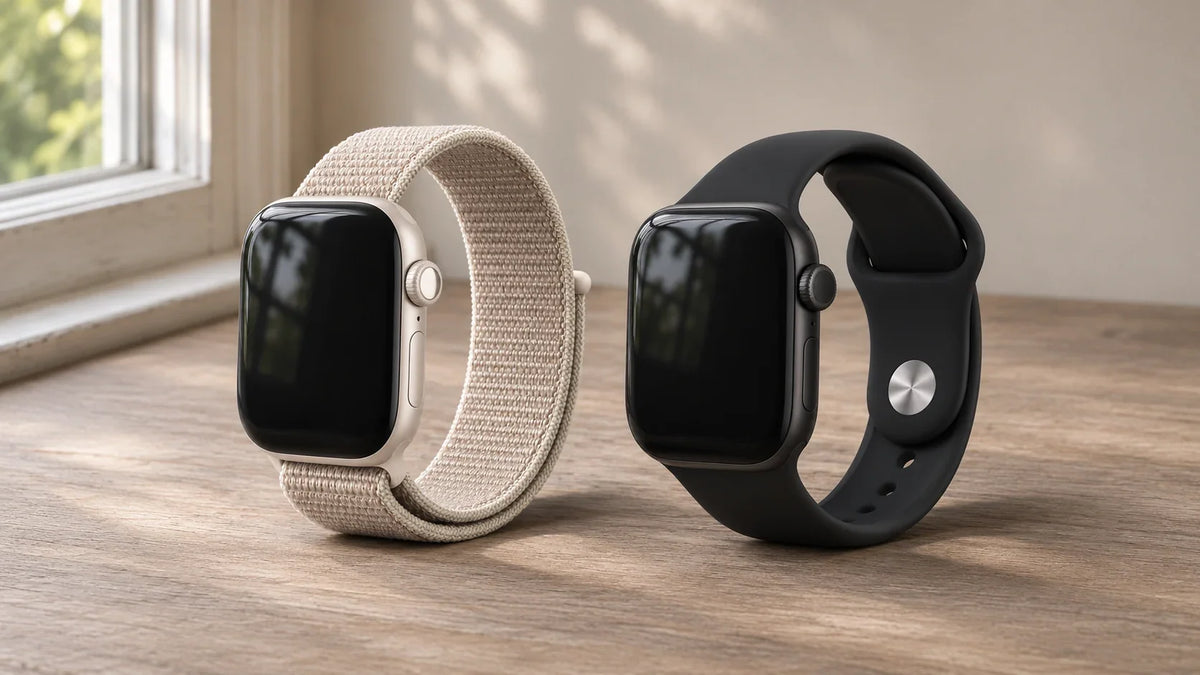
Apple Watch Sport Loop vs. Sport Band