

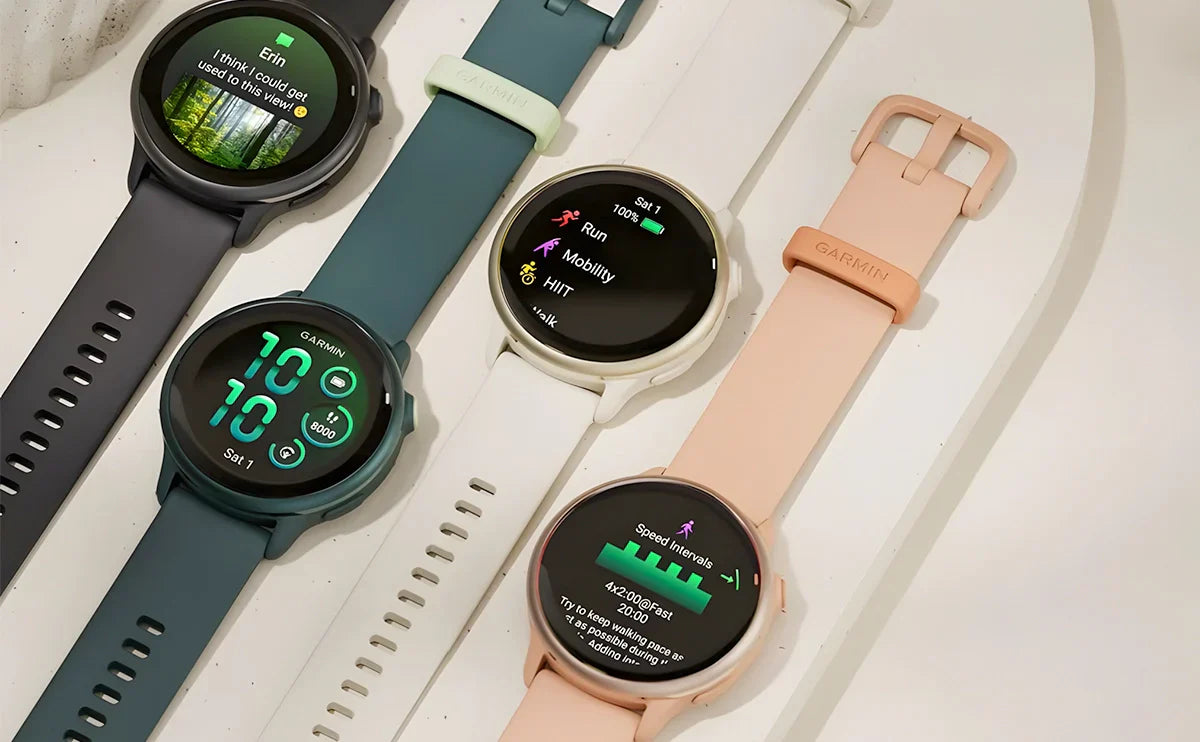
The Garmin Vivoactive 6 is worth considering if you want a lightweight fitness watch with an AMOLED screen, useful training guidance and less frequent charging. Its strongest appeal is the combination: everyday health tracking, running tools and offline music in a compact watch. The trade-offs are just as important, especially if you need ECG, voice calls or a particular navigation feature.
This Garmin Vivoactive 6 review is a researched buying guide based on Garmin's published specifications and current owner documentation. Our assessment focuses on how those features fit different routines. Software features can change, so update the watch before checking its training and navigation menus.
In this guide
- Quick verdict: who should buy it?
- Specifications at a glance
- Design, display and everyday comfort
- Running and workout features
- GPS and navigation
- Sleep, Smart Wake and health tracking
- Battery life by mode
- Music, payments and phone compatibility
- Band size and replacement strap selection
- Value, alternatives and upgrade advice
- Frequently asked questions
Garmin Vivoactive 6 review: the quick verdict
Choose the Vivoactive 6 if your main goal is to keep a consistent fitness routine: record your runs, follow a workout, review your sleep and wear the same watch throughout the day. It is especially appealing if a small, light case matters more to you than a large display or a heavy metal build.
The reasons to consider it are practical:
- A compact case that is easy to accommodate under sleeves.
- Training tools that give a recreational runner more to work with than distance and time alone.
- Several battery modes, letting you prioritize display visibility or charging intervals.
- Standard quick-release straps that let you adjust fit and material for different activities.
Look more closely at alternatives if you expect your watch to replace your phone for calls, require ECG, or depend on detailed outdoor navigation. Decide which feature you actually use before paying for a longer specification list. For someone who mainly walks, runs and trains in the gym, a manageable watch worn consistently can be more useful than a more elaborate device left on the charger.
Garmin Vivoactive 6 specifications at a glance
| Specification | Garmin Vivoactive 6 |
|---|---|
| Case dimensions | 42.2 × 42.2 × 10.9mm |
| Weight | 23g watch only; 36g with the included band |
| Display | 1.2-inch AMOLED, 390 × 390 pixels |
| Lens | Corning Gorilla Glass 3 |
| Bezel / case | Anodized aluminum / fiber-reinforced polymer |
| Band connection | Standard 20mm quick release |
| Included-band wrist range | 125–190mm |
| Storage | 8GB total memory |
| Water rating | 5 ATM |
| Phone compatibility | Compatible iPhone and Android phones |
The 23g figure excludes the strap. Likewise, 8GB is the watch's total memory specification, not a promise that all of it is available for songs. The included band's wrist range also does not determine the fit of every aftermarket strap. These distinctions matter when comparing watches or choosing accessories. See Garmin's specifications for the full feature list.
Design, AMOLED display and everyday comfort
The design favors low weight and a modest footprint. A 42.2mm case can be a sensible starting point for shoppers who find larger sports watches cumbersome, but diameter alone cannot predict comfort. Check how the watch sits across your wrist, whether the strap tightens evenly, and whether the case moves during exercise.
The AMOLED screen suits readers who prefer vivid watch faces and clear contrast. Its 1.2-inch size also means there is less room for a crowded workout screen. Start with the information you need most—perhaps time, distance and pace—and move less essential fields to another page.
Garmin described the display as brighter when announcing the Vivoactive 6. For outdoor use, consider how easily you can read the data fields you actually need and how your brightness settings affect battery life. The Gorilla Glass 3 lens still needs ordinary care around abrasive surfaces and equipment.
The two buttons complement the touchscreen: the START button opens activities and the controls menu, while BACK returns to the previous screen and offers a configurable shortcut. Set up that shortcut around something you use frequently, then practice starting and stopping an activity before your first workout. Garmin's button and touchscreen guide explains the controls.

Running, Garmin Coach and workout features
The Vivoactive 6 offers a useful middle ground for runners who want guidance without choosing a watch solely around racing. Its appeal is strongest when you turn a feature into a repeatable habit: a planned session, a clear pacing target or a post-run review.
Garmin Coach provides running and strength-training plan options, with selected plans adapting to performance and recovery information. Start by choosing a supported plan that fits your goal and weekly availability, then sync the scheduled sessions. A plan you can follow consistently is more valuable than collecting several training features without a clear purpose.
PacePro and structured workouts
PacePro helps organize a pacing strategy. Garmin's current manual describes creating a plan from a course, selecting a target pace or finish time, previewing the splits and starting the plan. This gives you a framework to follow; it does not automatically guarantee an achievable race goal. Garmin's PacePro instructions explain the setup.
For everyday training, Garmin documents downloaded workouts, a training calendar, interval sessions and Quick Workout. Quick Workout builds a session around the time and intensity targets you select. Available workout options depend on the activity, so check its Training menu before planning a session. The workout guide explains how to start each type.
Running dynamics and running power
The current manual lists wrist-based running dynamics and running power. Several form metrics can come from the watch, while ground contact time balance requires a compatible accessory. Check the sensor requirements for the measurements you want before budgeting for extra equipment. Garmin's running dynamics documentation identifies those requirements.
Treat these measurements as another way to examine a session. A number that changes between runs needs context: route, pace, fatigue, weather and how the watch was worn. More data does not automatically tell you which training change to make. Beginners can first focus on consistency and a manageable schedule, then add extra fields when they answer a specific question.

GPS and navigation: check the feature you need
Built-in GPS lets you record outdoor activities without using the phone as the GPS receiver. Before starting, wait for satellite acquisition in an open area. A recording made before the watch is ready is a poor basis for judging distance accuracy.
Garmin's current documentation includes creating courses in Garmin Connect and using course-based PacePro plans. It also documents navigation to saved locations and returning to the start with TracBack or a straight-line direction. The important distinction is between recording a route, following a course and navigating with detailed maps. These are different jobs. Do not assume that having one means the watch provides every navigation capability of a higher-end Garmin.
For a trip or race, sync your course beforehand and inspect the actual navigation screen. Confirm that the route information you need is available on your installed software. Test the controls somewhere familiar before relying on them on an unfamiliar route. See Garmin's course setup and Back to Start instructions.

Sleep tracking, Smart Wake Alarm and health features
Sleep Coach, nap tracking, HRV status, Body Battery and the morning report give the Vivoactive 6 a role beyond workouts. The useful question is whether these summaries help you notice patterns across your own routine. A single low score is less informative than how your readings change alongside sleep, activity and stress over time.
Smart Wake Alarm introduces a different kind of morning feature. If you choose an 8:00 a.m. alarm, the watch can attempt to wake you within the preceding 30 minutes based on your sleep. Garmin says the alarm still goes off at the chosen time. It does not promise an early wake-up every morning. The Smart Wake guide describes this behavior.
Smart Wake is most useful to consider alongside a consistent morning schedule. Decide whether the possibility of an alert before your chosen time suits you, and enable the feature for the alarms where you want that behavior. Your scheduled time remains the reference point.
The watch's health summaries are wellness estimates, not medical diagnoses. ECG is not listed in the Vivoactive 6 specification set; buyers who require it should check Garmin's supported ECG watches and regional availability before purchasing. Heart-rate tracking, HRV and Pulse Ox are different measurements and should not be presented as substitutes for ECG.

Garmin Vivoactive 6 battery life: compare the modes
Battery life is a strong reason to consider this watch, but “up to 11 days” needs its mode attached.
| Battery mode | Garmin's published maximum |
|---|---|
| Smartwatch mode | Up to 11 days |
| Smartwatch mode with always-on display | Up to 5 days |
| Battery Saver watch mode | Up to 21 days |
| GPS-only activity mode | Up to 21 hours |
| All-systems satellite activity mode | Up to 17 hours |
| All-systems satellite mode with music | Up to 8 hours |
These are estimates under specified usage assumptions. Garmin's default smartwatch scenario includes no timed activities or music playback, so it should not be interpreted as an eleven-day training schedule. Always-on display, activity recording and music can change your charging interval. Garmin's battery assumptions explain the conditions.
Choose your setup around your routine. Someone who mainly checks notifications has a different workload from someone recording a run with music every day. For a long event, compare the event duration against the activity mode you will actually use and leave a charging margin. A battery-saver figure is not a substitute for the normal feature set.
If you want a personal baseline, keep the same settings for several days and note charging times, recorded activities and music use. That produces a more useful answer than copying another person's “seven days” without knowing their configuration.

Music, Garmin Pay and iPhone or Android compatibility
Offline music is useful when you want to leave your phone behind during a workout. Download supported content beforehand and pair Bluetooth headphones; controlling music on your phone is a separate function. Supported streaming services may require a subscription. The 8GB total-memory figure should not be converted into an exact song count without checking usable storage and file sizes.
Garmin Pay can make a short outing more convenient, provided your bank, card and country are supported. Check eligibility before treating it as a purchase-deciding feature. Payment support is not identical everywhere.
The Vivoactive 6 works with compatible iPhone and Android phones, but features are not identical on both platforms. Garmin lists standard notification text replies as Android-only. Messaging apps have their own requirements, so check the app and phone combination you plan to use.
For smartwatch buyers, separate alerts from phone replacement. Seeing an incoming call notification does not mean you can hold a voice conversation through the watch. If calling or voice interaction is essential, compare models that explicitly offer the required hardware and functions. The Vivoactive 6's primary attraction remains fitness and daily tracking.
Garmin Vivoactive 6 band size: standard 20mm quick release
The Garmin Vivoactive 6 uses standard 20mm quick-release bands. Garmin's band-changing instructions confirm the connection. The 42.2mm case diameter is not the strap width, and QuickFit is a different attachment system.
Check three things before buying: the 20mm width, the standard quick-release connector and the strap's wrist range. A correct connector does not compensate for a strap that cannot tighten comfortably. After installation, check that both spring bars are seated and gently tug each side before wearing the watch.
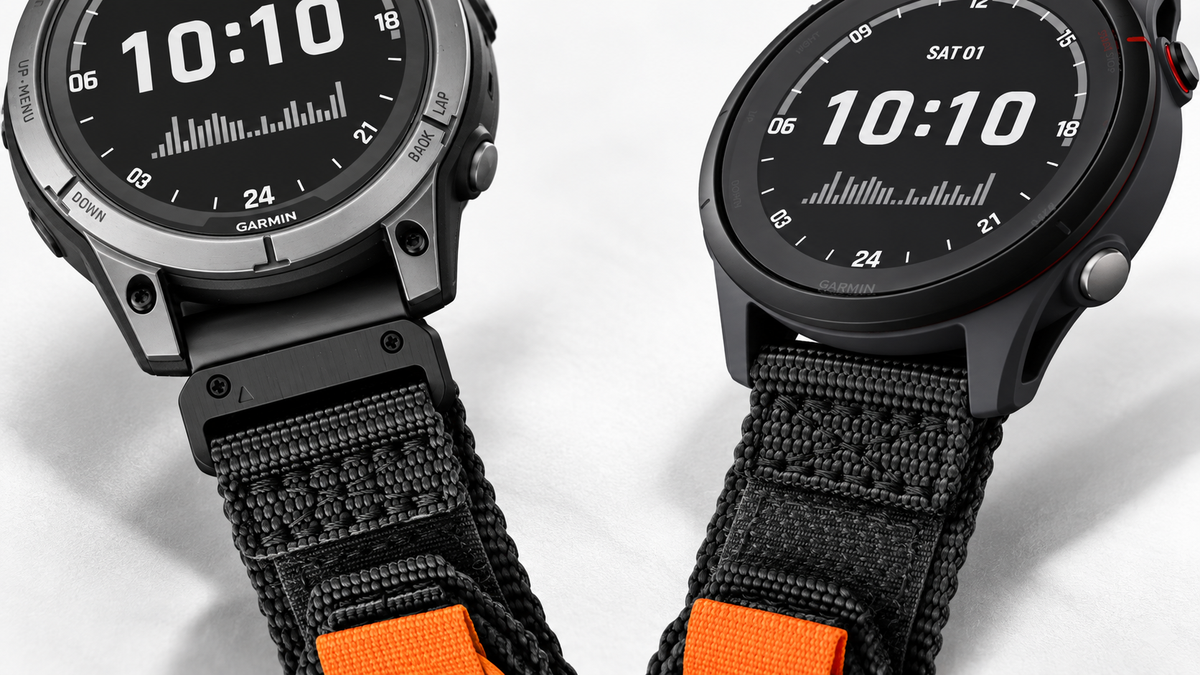
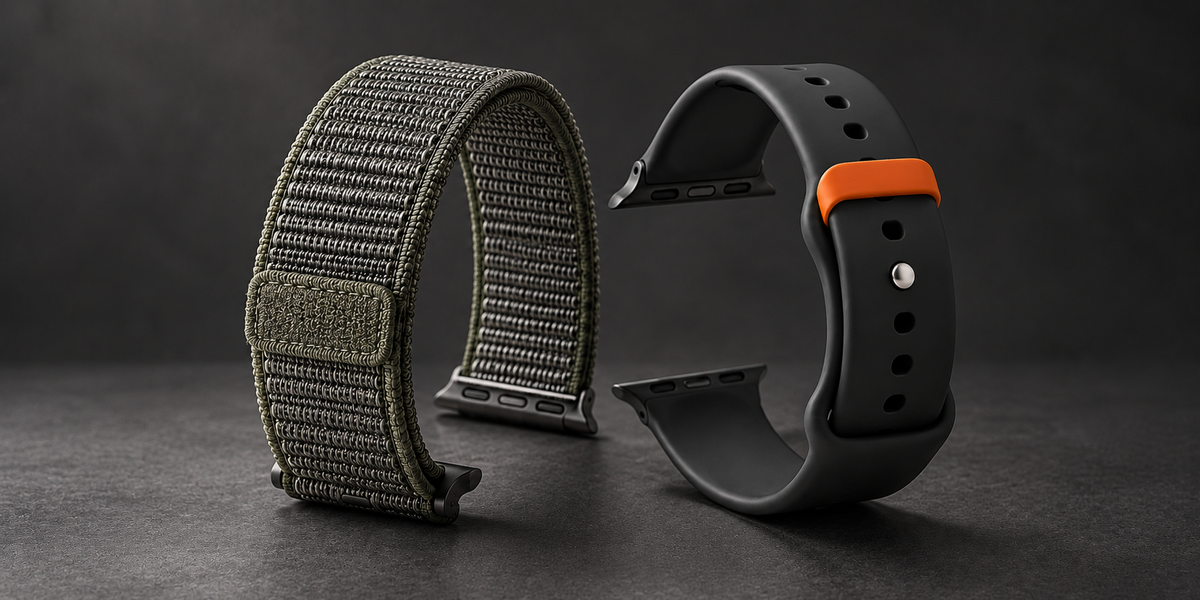
For material and closure examples, Bandletic's Pack Outdoor Band Quick Release offers a nylon loop design, while the Cube Magnetic Sport Band Quick Release offers silicone with a magnetic and pin-and-tuck closure. Both pages offer a 20mm Quick Release option, but their current compatibility lists do not explicitly name Vivoactive 6. Ask Bandletic to confirm that model before ordering; the matching nominal width alone is not a complete fit check. Our Garmin QuickFit vs quick release guide explains how to distinguish the connections.
Match the strap to the activity as well as the watch. A watch's 5 ATM rating does not automatically give an aftermarket band the same water-use suitability. Follow the strap's care and activity guidance; the Cube product page currently advises against swimming with that band. For broader choices, compare Bandletic Garmin watch bands, checking each connector before purchase.
Price, alternatives and whether to upgrade
Garmin announced the Vivoactive 6 on April 1, 2025, with U.S. ordering from April 4 and a suggested retail price of $299.99. This is its launch price, not a current sale-price quote. Check today's price, warranty and retailer terms when comparing offers. Garmin's U.S. announcement establishes that reference point.
If you already own a Vivoactive 5, start with the feature you are missing. A functioning watch that meets your needs does not become unsuitable because a newer one exists. Our Vivoactive 6 vs Vivoactive 5 comparison provides a separate place to examine the upgrade decision.
For a different Garmin, compare the exact model rather than assuming one entire range is better. The Vivoactive 6 vs Forerunner 265 comparison is relevant when running is the main purchase driver. The Venu 4 vs Vivoactive 6 comparison helps frame the lifestyle-feature trade-off.
The best reason to buy the Vivoactive 6 is that its particular combination fits your day. For an everyday fitness routine, the compact case, varied workout tools and flexible battery settings make a persuasive package. Compare the functions you will use, the fit you can maintain and the actual selling price before deciding.
Garmin Vivoactive 6 review FAQs
1. Is the Garmin Vivoactive 6 worth buying?
It is worth considering for everyday fitness, running guidance and a compact design. Check alternatives if ECG, voice calls or a specific mapping function is essential. Value also depends on the current price and what you already own.
2. How long does the Vivoactive 6 battery last?
Garmin lists up to 11 days in smartwatch mode and up to five with always-on display. GPS and music have separate, shorter estimates. Use the battery-mode table above rather than applying one figure to every configuration.
3. Does the Garmin Vivoactive 6 have ECG?
ECG is not listed among its supported specifications. If that feature is essential, select a model explicitly supported by Garmin's ECG app in your region. Optical heart-rate and HRV tracking are not ECG.
4. Is the Garmin Vivoactive 6 waterproof?
It has a 5 ATM water-resistance rating. Describe it using that rating and Garmin's activity guidance, rather than as universally waterproof. Check a replacement strap separately before swimming.
5. What size band does the Vivoactive 6 use?
It uses a standard 20mm quick-release band. Check the connector, wrist range and spring-bar seating. A 20mm QuickFit strap is not automatically the correct replacement.
6. Can I use it with an iPhone?
Yes, with a compatible iPhone and Garmin Connect. Some functions differ from Android, including standard notification text replies. Check the requirements of any particular app you plan to use.
7. Does Smart Wake always wake me early?
No early alert is guaranteed. Garmin describes an attempt within the preceding 30-minute window, with the alarm still sounding at your chosen time.

Share:
Apple Watch Ultra 2 vs Garmin Forerunner 965 - Expert Review & User Experience
Apple Watch Series 10 vs Galaxy Watch Ultra 2025 - Battle of the Smartwatches