

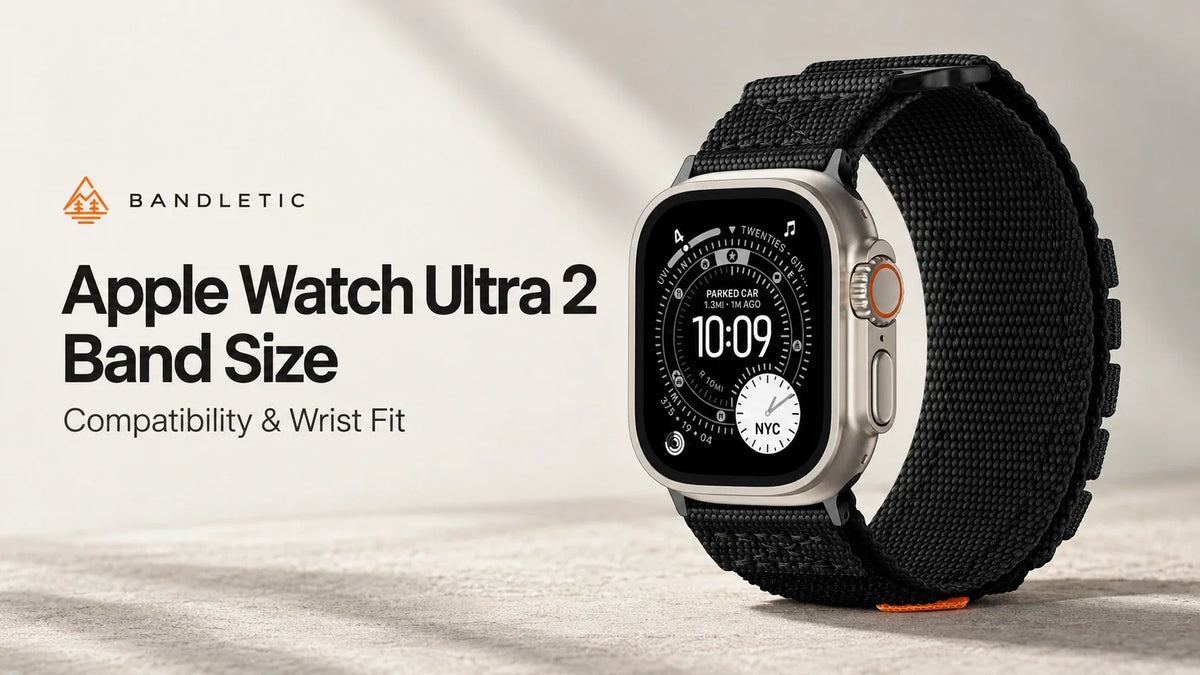
The Apple Watch Ultra 2 has a 49mm case. When buying a replacement band, choose an option that explicitly supports Ultra 2 or 49mm, then select the length for your measured wrist. Compatible 44mm, 45mm and 46mm bands can also attach. A 49mm label alone does not tell you how tightly the band will fit.
This Apple Watch Ultra 2 band size guide explains the numbers on the product page, how to check an older strap, and which Bandletic options suit different wrist measurements.
What does “49mm” mean on the Apple Watch Ultra 2?
The 49mm measurement describes the height of the watch case. Apple lists the Ultra 2 case as 49mm high and 44mm wide. Neither measurement gives you the strap’s length or the width of its fabric. See Apple’s Ultra 2 technical specifications.
There are three measurements to keep separate when shopping:
- Watch size or compatibility: labels such as 49mm indicate the case size a band supports.
- Wrist size: a range such as 145–210mm describes the wrist circumference the finished band is intended to fit.
- Band width or flat length: these describe the strap itself. They cannot replace a wrist-fit chart.
For example, selecting “49mm” and “M:165–180mm” means choosing an Ultra-compatible connection and a medium wrist fit. Selecting 49mm does not automatically select medium, large or any particular strap length.

Will your old Apple Watch band fit the Ultra 2?
Apple confirms that bands made for 44mm, 45mm and 46mm cases fit the 49mm case. Its band compatibility guidance also limits those smaller-case bands on Ultra to casual, everyday use.
| Existing band label | Ultra 2 connection | Before you reuse it |
|---|---|---|
| 49mm / explicitly Ultra 2 compatible | Compatible | Check its wrist range and intended use. |
| 44mm, 45mm or 46mm | Compatible | Apple specifies casual, everyday use on Ultra. |
| 38mm, 40mm or 41mm | Different size family | Choose a band that lists Ultra 2 / 49mm. |
| 42mm | Generation-dependent | Identify the original watch model and the band’s compatibility list. |
Check 42mm labels carefully. The older 42mm size used by Series 1–3 belongs to the larger connector family. The 42mm Series 10 belongs to the smaller family. Bandletic separates these in its product selectors as “42mm(Series 3/2/1)” and “42mm(Series 12/11/10)/41mm/40mm/38mm.” Read the full option label rather than buying from “42mm” alone.
A strap can attach correctly and still feel different on the larger watch. Recheck its adjustment range after upgrading, particularly if your previous fit was already near its shortest setting.
How to measure your wrist for an Ultra 2 band
Measure the wrist you actually wear your watch on. A measurement from your other wrist, or from an old strap laid flat, can send you to the wrong size.
- Wrap a flexible tape measure around your wrist where the watch normally sits, just above the wrist bone.
- Keep the tape against your skin without pulling it tight enough to indent it.
- Read the circumference in millimeters. If you use a paper strip, mark the overlap and measure it with a ruler.
- Compare that number with the chart for the exact band and watch-size option you plan to order.
To convert inches to millimeters, multiply by 25.4. A 6.5-inch wrist is approximately 165mm; a 7-inch wrist is about 178mm. Keep the unrounded measurement when you are close to a size boundary.
Do not subtract the 49mm case height from your circumference before using a published wrist-fit range. The chart asks for your wrist measurement. If a seller gives only the strap’s flat length, ask for its assembled wrist range on Ultra 2.
Ultra 2 band lengths: S/M, M/L and numbered sizes
Letter sizes belong to individual band designs. Your size in one style may change when you choose another. Apple’s currently listed 49mm bands illustrate this:
| Apple band | Size options and stated wrist ranges |
|---|---|
| Trail Loop | S/M: 130–180mm; M/L: 145–220mm |
| Alpine Loop | Small: 130–160mm; Medium: 145–190mm; Large: 165–210mm |
| Ocean Band | One size: 130–200mm |
These ranges describe the linked versions, not every historical release or third-party alternative. Check the listing for the band you are purchasing. The overlap also explains why “a 170mm wrist needs medium” is too broad: more than one size may cover that measurement.
For a Solo Loop or Braided Solo Loop, use the sizing instructions for that specific style. Apple notes that Ultra’s larger case can change the size you need and recommends trying the band on Ultra before purchase.
Bandletic bands to consider for your wrist size
Our Apple Watch Ultra 2 bands collection includes nylon and silicone designs. For the options below, choose 49mm in the Watch Size selector, then check the wrist range.

Pack Outdoor Band: nylon with adjustable loop fastening
The Bandletic Pack Outdoor Band uses nylon and a hook-and-loop adjustment structure. Consider it if you prefer a woven strap and want to adjust the overlap as your wrist changes through the day.
- M: 165–180mm wrists, approximately 6.50–7.09 inches.
- L: 180–200mm wrists, approximately 7.09–7.87 inches.
A 170mm wrist falls within M; a 190mm wrist falls within L. A 155mm wrist is below this model’s published minimum. Choose a style with a suitable range rather than relying on extra tightening. If you measure exactly 180mm, both listed ranges reach that boundary; ask us about the preferred overlap before ordering.
Choose your Pack Outdoor Band size.
Cube Magnetic Sport Band: silicone for 145–210mm wrists
The Bandletic Cube Magnetic Sport Band pairs silicone with N52 magnets and an aluminum pin-and-tuck closure. Its stated wrist range is 145–210mm, approximately 5.71–8.27 inches.
A 155mm wrist is within Cube’s listed range, so it is an option to compare if Pack’s 165mm minimum is too large. The closure’s fit still matters: check the hole setting, the tucked end and the watch’s position after fastening.
View the Cube Magnetic Sport Band in 49mm.
Choosing for small wrists, large wrists and workouts
For a small wrist, start with the minimum. If you measure 140mm, neither of the two Bandletic models above lists a suitable range. Look for a band that explicitly covers your measurement. A shorter band also cannot change how the 49mm watch case sits across the top of your wrist.
For a large wrist, look beyond the last number. At 205mm, Cube is within its stated range and Pack is outside its range. Check that the chosen closure fastens fully and leaves usable adjustment. For anything beyond a model’s published maximum, ask about another length before purchasing.
For workouts, check the assembled fit. Follow Apple’s wearing guidance: keep the watch above the wrist bone, with the back in contact with your skin. Adjust it for exercise, then loosen it afterward if needed. An uncomfortable strap needs adjustment even when your measurement falls inside its chart.
Match the band to the activity as well. Ultra 2 compatibility alone does not establish suitability for diving or high-speed water sports. Check the band manufacturer’s instructions for that use.
Before you order
- Confirm that the listing supports Apple Watch Ultra 2 / 49mm.
- Measure your wrist and choose from that product’s circumference range.
- Check the closure and any size-boundary questions.
- Once fitted, confirm that both connectors lock into place before wearing the watch.
Have your measurement ready? Browse Bandletic’s Apple Watch Ultra 2 bands and select 49mm before choosing the wrist fit.
Frequently asked questions
1. Is every Apple Watch Ultra 2 band 49mm wide?
No. The 49mm label refers to case compatibility. The strap has its own width, length and wrist-fit range.
2. Can I use my 45mm Apple Watch band on Ultra 2?
Yes, for casual everyday use under Apple’s guidance. Recheck the fit on your wrist after moving it to the larger case.
3. Does Ultra 2 use the same bands as the original Ultra?
Both have 49mm cases. Check the band’s supported models and your wrist measurement, especially if the strap has a fixed or narrowly adjustable length.
4. Should I buy S/M or M/L for Ultra 2?
Use your chosen band’s chart. Those labels do not define a universal length across Apple and Bandletic products.
5. What if my wrist is between sizes?
Measure again without rounding. When two ranges overlap, ask about the closure’s adjustment and where the loose end will sit. When neither range includes your wrist, choose another model or length.
Share:
Garmin Venu 4 Band Size: 18mm vs 22mm and Compatibility
Garmin Vivoactive 5 & 6 Band Size and Compatibility